目录
一,Spring整合redis
1.导入相关pom依赖
<redis.version>2.9.0</redis.version>
<redis.spring.version>1.7.1.RELEASE</redis.spring.version><dependency>
?? ?<groupId>redis.clients</groupId>
?? ?<artifactId>jedis</artifactId>
?? ?<version>${redis.version}</version>
</dependency>
<dependency>
?? ?<groupId>org.springframework.data</groupId>
?? ?<artifactId>spring-data-redis</artifactId>
?? ?<version>${redis.spring.version}</version>
</dependency>
2.添加对应的配置文件
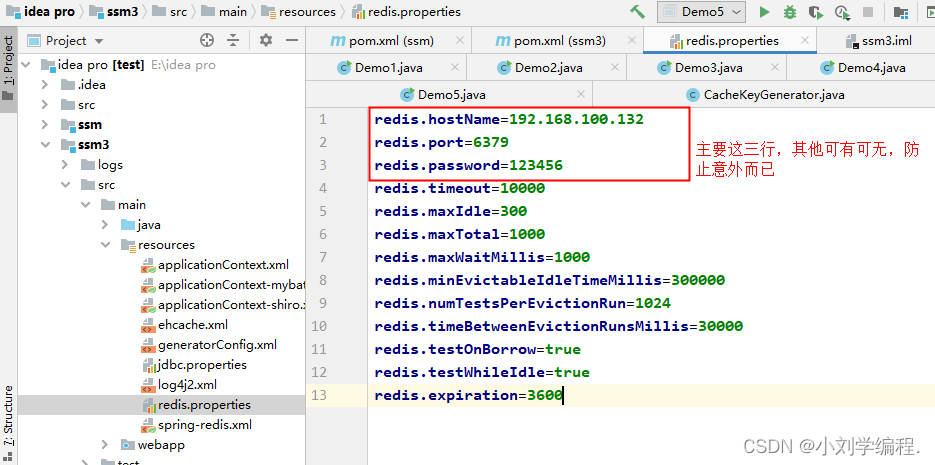
redis.properties
redis.hostName=192.168.100.132
redis.port=6379
redis.password=123456
redis.timeout=10000
redis.maxIdle=300
redis.maxTotal=1000
redis.maxWaitMillis=1000
redis.minEvictableIdleTimeMillis=300000
redis.numTestsPerEvictionRun=1024
redis.timeBetweenEvictionRunsMillis=30000
redis.testOnBorrow=true
redis.testWhileIdle=true
redis.expiration=3600
3.Spring-redis的整合配置文件
如需完全使用该文件,还需一个CacheKeyGenerator类 用做配置缓存生成键名的生成规则
<?xml version="1.0" encoding="UTF-8"?>
<beans xmlns="http://www.springframework.org/schema/beans"
       xmlns:xsi="http://www.w3.org/2001/XMLSchema-instance"
       xmlns:context="http://www.springframework.org/schema/context"
       xmlns:cache="http://www.springframework.org/schema/cache"
       xsi:schemaLocation="http://www.springframework.org/schema/beans
       http://www.springframework.org/schema/beans/spring-beans.xsd
       http://www.springframework.org/schema/context
       http://www.springframework.org/schema/context/spring-context.xsd
       http://www.springframework.org/schema/cache
       http://www.springframework.org/schema/cache/spring-cache.xsd">

    <!-- 1. 引入properties配置文件 -->
    <context:property-placeholder location="classpath:redis.properties" />

    <!-- 2. redis连接池配置-->
    <bean id="poolConfig" class="redis.clients.jedis.JedisPoolConfig">
        <!--最大空闲数-->
        <property name="maxIdle" value="${redis.maxIdle}"/>
        <!--连接池的最大数据库连接数  -->
        <property name="maxTotal" value="${redis.maxTotal}"/>
        <!--最大建立连接等待时间-->
        <property name="maxWaitMillis" value="${redis.maxWaitMillis}"/>
        <!--逐出连接的最小空闲时间 默认1800000毫秒(30分钟)-->
        <property name="minEvictableIdleTimeMillis" value="${redis.minEvictableIdleTimeMillis}"/>
        <!--每次逐出检查时 逐出的最大数目 如果为负数就是 : 1/abs(n), 默认3-->
        <property name="numTestsPerEvictionRun" value="${redis.numTestsPerEvictionRun}"/>
        <!--逐出扫描的时间间隔(毫秒) 如果为负数,则不运行逐出线程, 默认-1-->
        <property name="timeBetweenEvictionRunsMillis" value="${redis.timeBetweenEvictionRunsMillis}"/>
        <!--是否在从池中取出连接前进行检验,如果检验失败,则从池中去除连接并尝试取出另一个-->
        <property name="testOnBorrow" value="${redis.testOnBorrow}"/>
        <!--在空闲时检查有效性, 默认false  -->
        <property name="testWhileIdle" value="${redis.testWhileIdle}"/>
    </bean>

    <!-- 3. redis连接工厂 -->
    <bean id="connectionFactory" class="org.springframework.data.redis.connection.jedis.JedisConnectionFactory"
          destroy-method="destroy">
        <property name="poolConfig" ref="poolConfig"/>
        <!--IP地址 -->
        <property name="hostName" value="${redis.hostName}"/>
        <!--端口号  -->
        <property name="port" value="${redis.port}"/>
        <!--如果Redis设置有密码  -->
        <property name="password" value="${redis.password}"/>
        <!--客户端超时时间单位是毫秒  -->
        <property name="timeout" value="${redis.timeout}"/>
    </bean>

    <!-- 4. redis操作模板,使用该对象可以操作redis
        hibernate课程中hibernatetemplete,相当于session,专门操作数据库。
    -->
    <bean id="redisTemplate" class="org.springframework.data.redis.core.RedisTemplate">
        <property name="connectionFactory" ref="connectionFactory"/>
        <!--如果不配置Serializer,那么存储的时候缺省使用String,如果用User类型存储,那么会提示错误User can't cast to String!!  -->
        <property name="keySerializer">
            <bean class="org.springframework.data.redis.serializer.StringRedisSerializer"/>
        </property>
        <property name="valueSerializer">
            <bean class="org.springframework.data.redis.serializer.GenericJackson2JsonRedisSerializer"/>
        </property>
        <property name="hashKeySerializer">
            <bean class="org.springframework.data.redis.serializer.StringRedisSerializer"/>
        </property>
        <property name="hashValueSerializer">
            <bean class="org.springframework.data.redis.serializer.GenericJackson2JsonRedisSerializer"/>
        </property>
        <!--开启事务  -->
        <property name="enableTransactionSupport" value="true"/>
    </bean>

    <!--  5.配置缓存管理器  -->
    <bean id="redisCacheManager" class="org.springframework.data.redis.cache.RedisCacheManager">
        <constructor-arg name="redisOperations" ref="redisTemplate"/>
        <!--redis缓存数据过期时间单位秒-->
        <property name="defaultExpiration" value="${redis.expiration}"/>
        <!--是否使用缓存前缀,与cachePrefix相关-->
        <property name="usePrefix" value="true"/>
        <!--配置缓存前缀名称-->
        <property name="cachePrefix">
            <bean class="org.springframework.data.redis.cache.DefaultRedisCachePrefix">
                <constructor-arg index="0" value="-cache-"/>
            </bean>
        </property>
    </bean>

    <!--6.配置缓存生成键名的生成规则-->
    <bean id="cacheKeyGenerator" class="com.zking.ssm.redis.CacheKeyGenerator"></bean>

    <!--7.启用缓存注解功能-->
    <cache:annotation-driven cache-manager="redisCacheManager" key-generator="cacheKeyGenerator"/>
</beans>
CacheKeyGenerator
package com.zking.ssm.redis;

import lombok.extern.slf4j.Slf4j;
import org.springframework.cache.interceptor.KeyGenerator;
import org.springframework.util.ClassUtils;

import java.lang.reflect.Array;
import java.lang.reflect.Method;

/**
 * 指定redis中的key value存储中的key字符串的生成规则
 * uname:zs uname是手动赋值的
 *
 * @enobleCache
 */

@Slf4j
public class CacheKeyGenerator implements KeyGenerator {
    // custom cache key
    public static final int NO_PARAM_KEY = 0;
    public static final int NULL_PARAM_KEY = 53;

    @Override
    public Object generate(Object target, Method method, Object... params) {
        StringBuilder key = new StringBuilder();
        key.append(target.getClass().getSimpleName()).append(".").append(method.getName()).append(":");
        if (params.length == 0) {
            key.append(NO_PARAM_KEY);
        } else {
            int count = 0;
            for (Object param : params) {
                if (0 != count) {//参数之间用,进行分隔
                    key.append(',');
                }
                if (param == null) {
                    key.append(NULL_PARAM_KEY);
                } else if (ClassUtils.isPrimitiveArray(param.getClass())) {
                    int length = Array.getLength(param);
                    for (int i = 0; i < length; i++) {
                        key.append(Array.get(param, i));
                        key.append(',');
                    }
                } else if (ClassUtils.isPrimitiveOrWrapper(param.getClass()) || param instanceof String) {
                    key.append(param);
                } else {//Java一定要重写hashCode和eqauls
                    key.append(param.hashCode());
                }
                count++;
            }
        }

        String finalKey = key.toString();
//        IEDA要安装lombok插件
        log.debug("using cache key={}", finalKey);
        return finalKey;
    }
}
?applicationContext.xml
4.测试
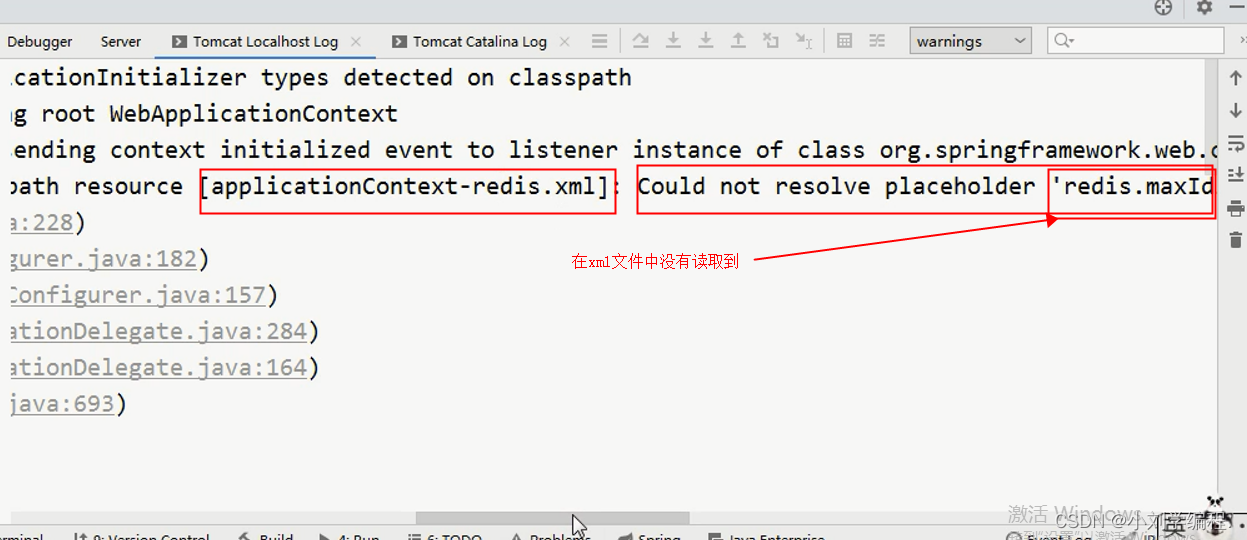
在xml文件中没有读取到该文件
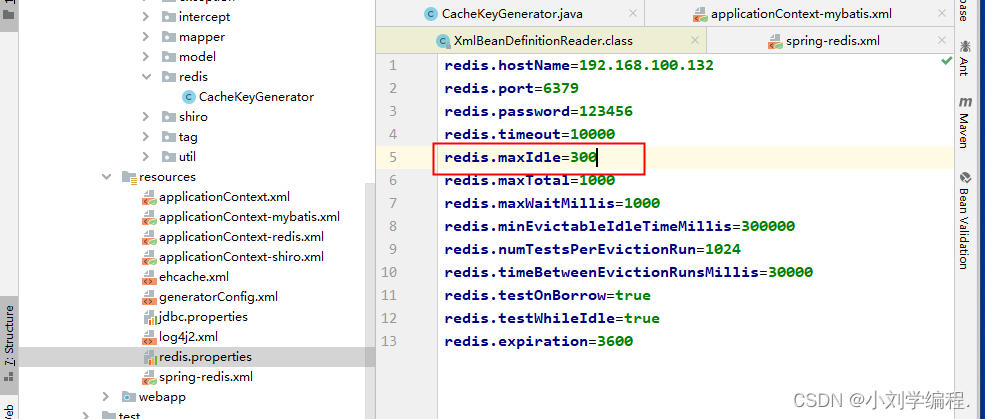
?此处配置了redis.maxIdle
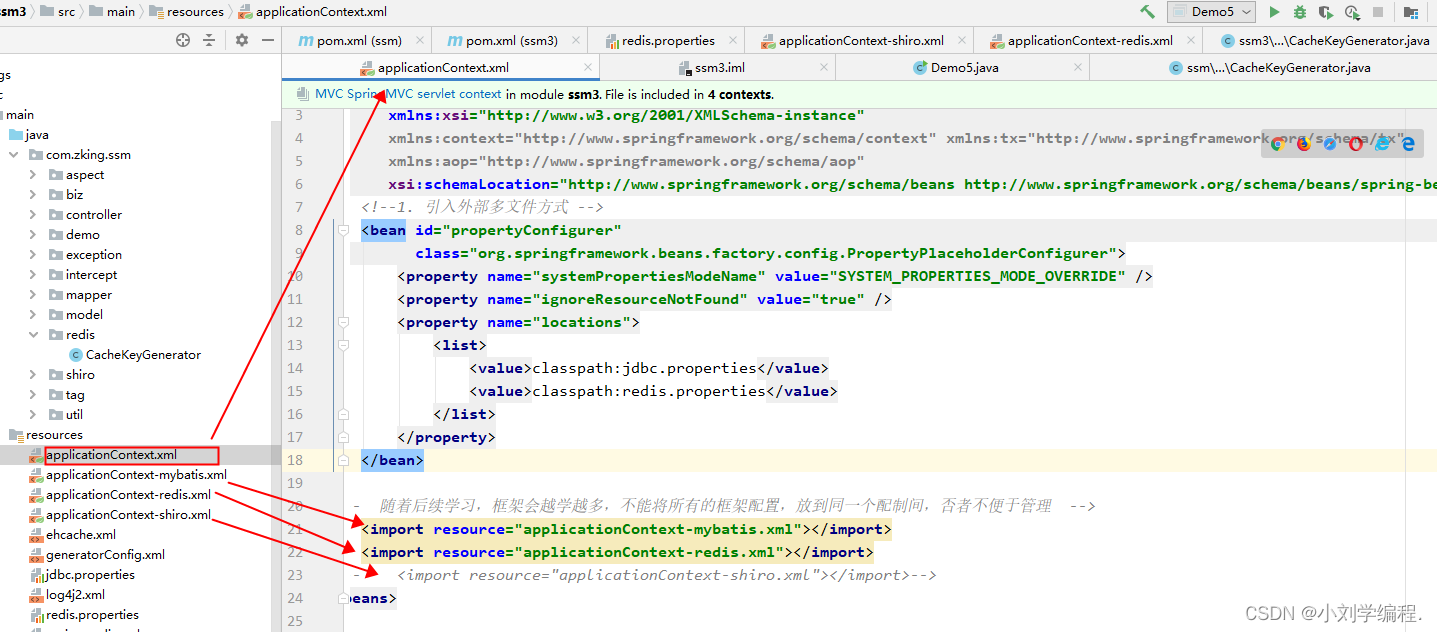
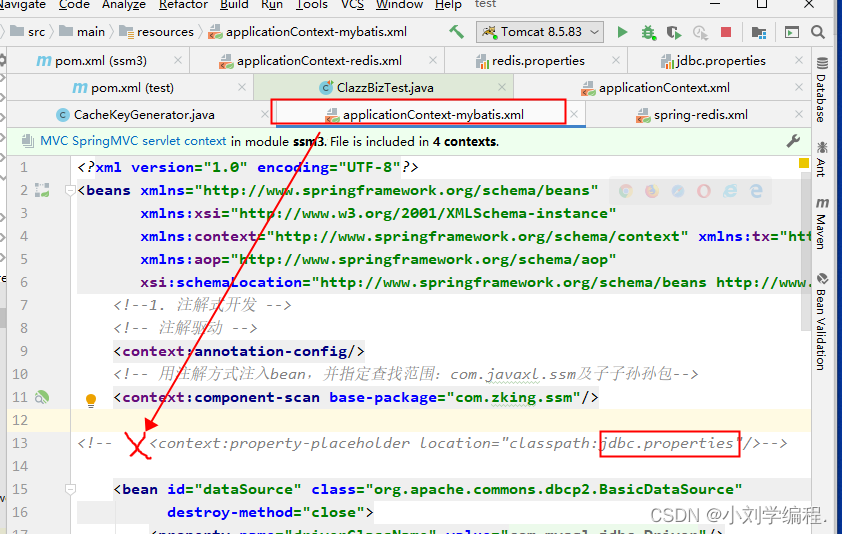
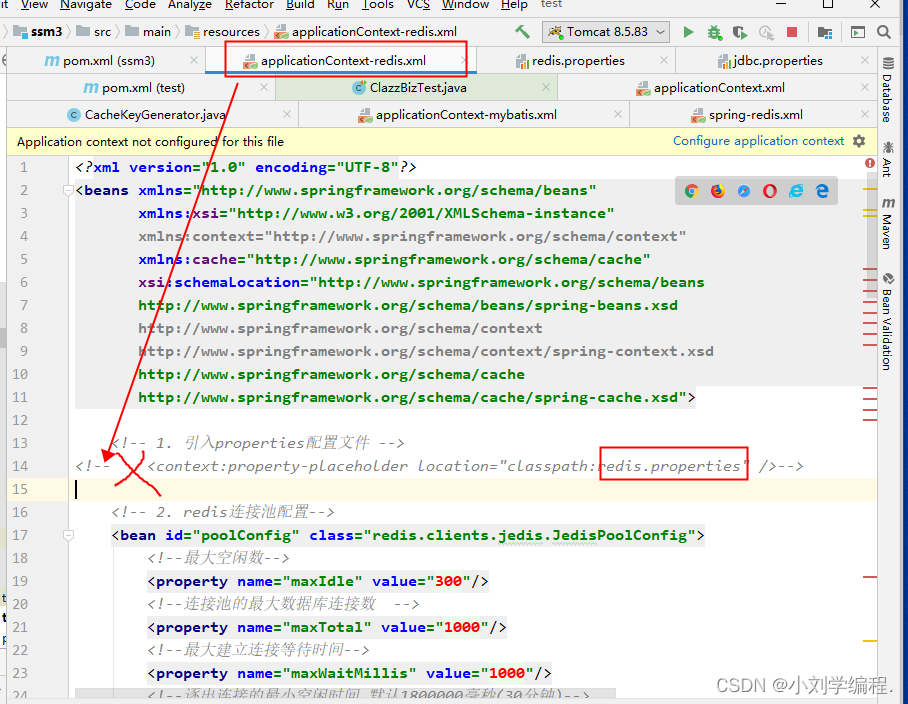
之后发现是两个properties文件的使用的矛盾,所以我们将它们注掉,在applicationContext.xml 文件中引入外部多文件方式即可
applicationContext-mybatis.xml
?applicationContext-redis.xml
?引入外部多文件方式
<bean id="propertyConfigurer"
      class="org.springframework.beans.factory.config.PropertyPlaceholderConfigurer">
    <property name="systemPropertiesModeName" value="SYSTEM_PROPERTIES_MODE_OVERRIDE" />
    <property name="ignoreResourceNotFound" value="true" />
    <property name="locations">
        <list>
            <value>classpath:jdbc.properties</value>
            <value>classpath:redis.properties</value>
        </list>
    </property>
</bean>
?applicationContext.xml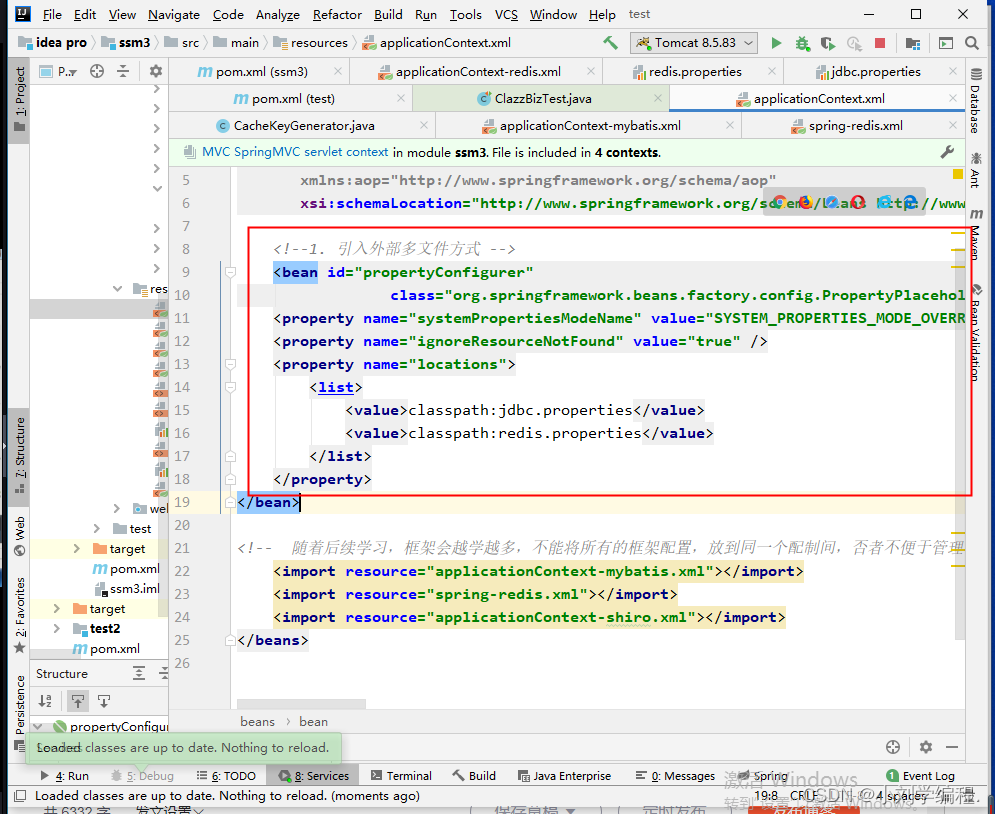
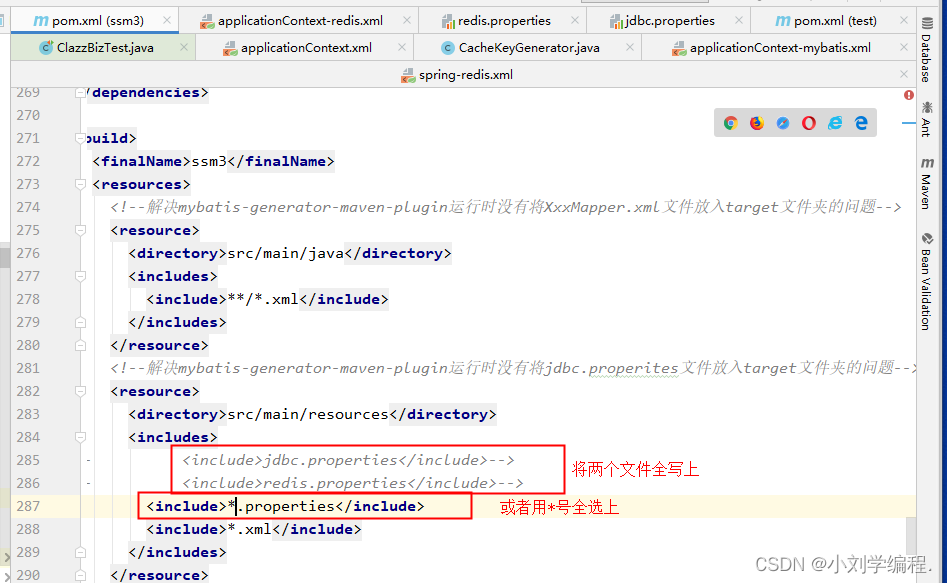
?修改pom文件
?访问成功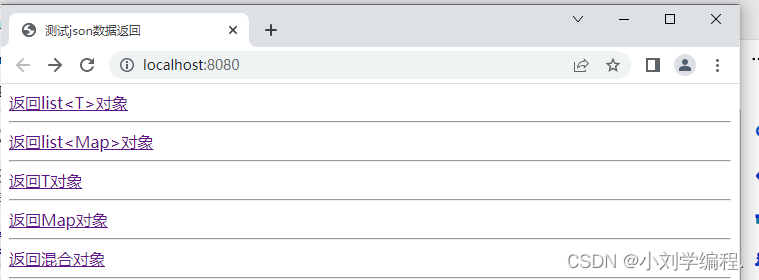
二,redis的注解式开发
@Cacheable
配置在方法或类上,作用:本方法执行后,先去缓存看有没有数据,如果没有,从数据库中查找出来,给缓存中存一份,返回结果, 下次本方法执行,在缓存未过期情况下,先在缓存中查找,有的话直接返回,没有的话从数据库查找
需要读取Spring中的java Bean
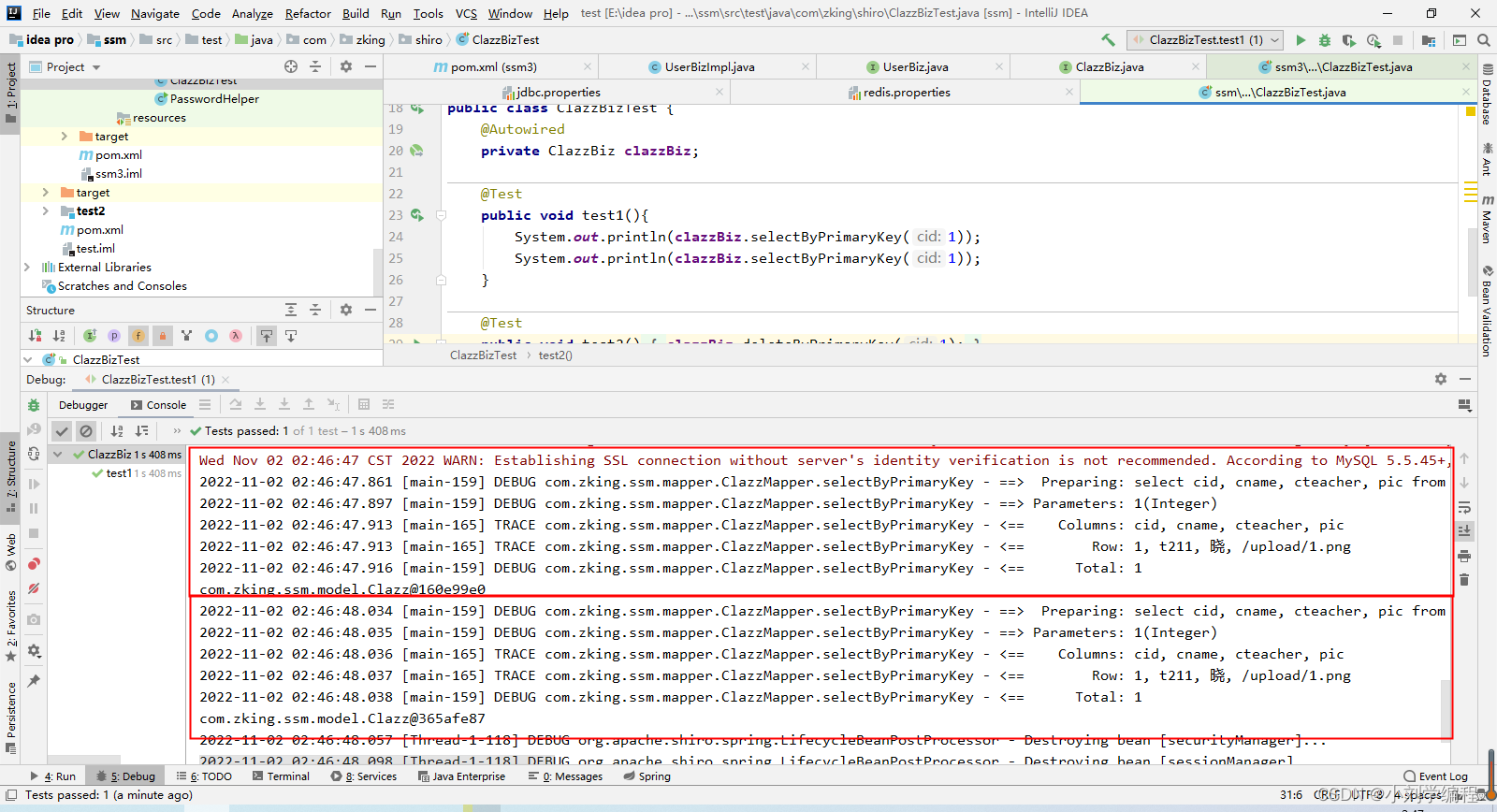
@RunWith(SpringJUnit4ClassRunner.class)
@ContextConfiguration(locations={"classpath:applicationContext.xml"})
?未使用redis缓存前,查询了两遍数据库
?使用redis缓存1>
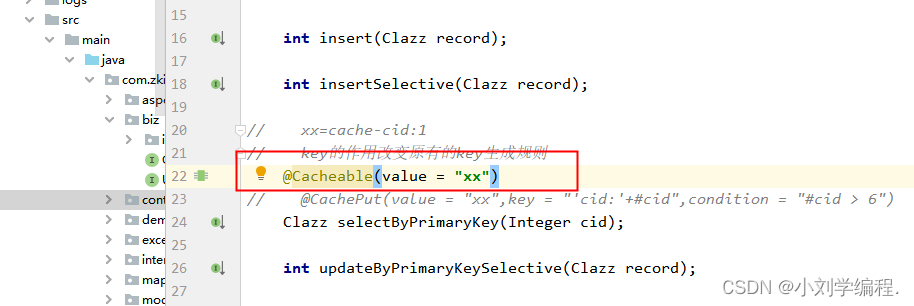
@Cacheable(value = "xx")
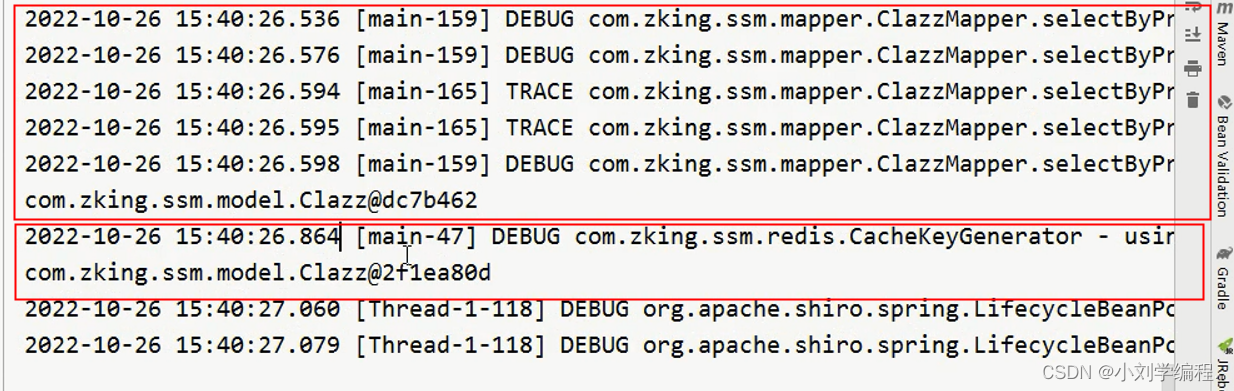
?再次测试结果
只查询了一遍数据库,第二遍从缓存中获取数据
?缓存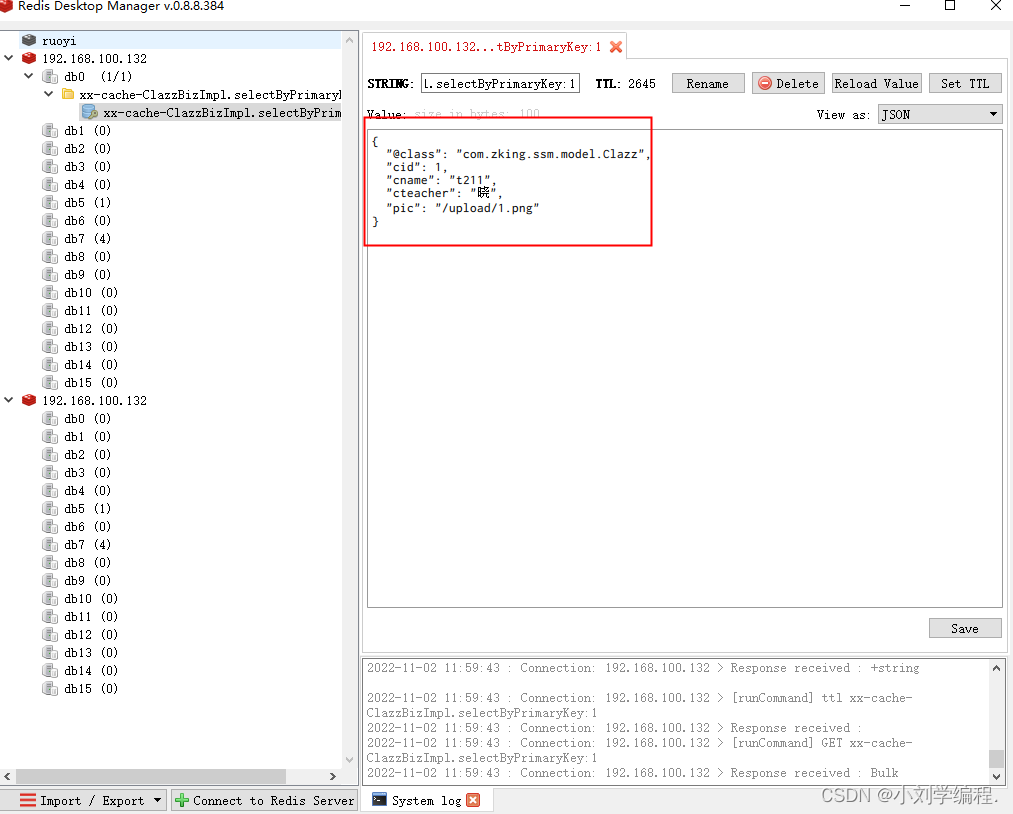
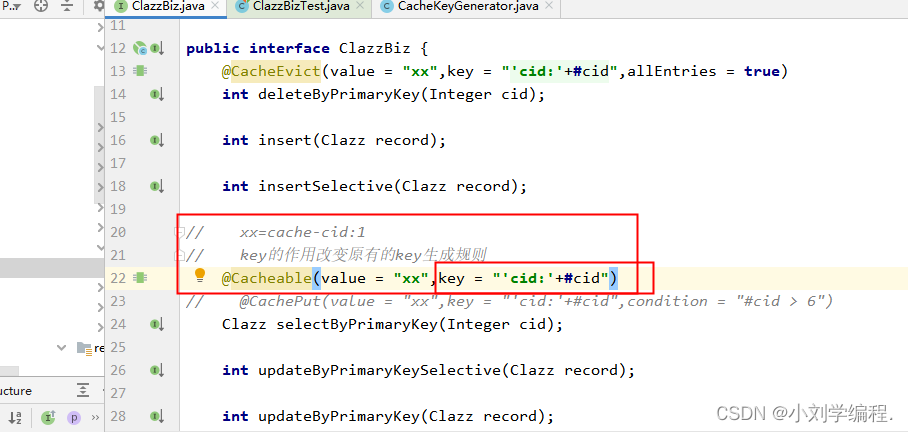
?使用方法2>加上key
xx=cache-cid:1
//    key的作用改变原有的key生成规则
    @Cacheable(value = "xx",key = "'cid:'+#cid")
 ??redis中的缓存名变简洁了,如果没有使用key的话就是使用原有的生成方法,在CacheKeyGenerator中(上面有这个生成key的方法类),所以就会看起来比较繁杂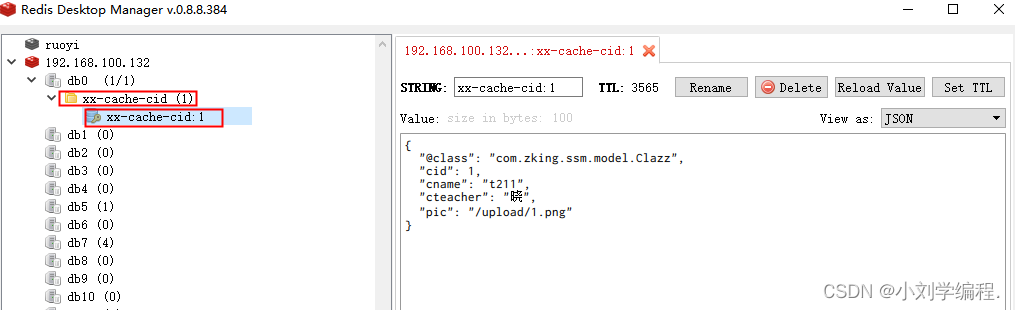
?使用方法3》condition
属性 condition = "#cid > (数字)"此属性的作用是添加了使用缓冲的机制,当cid大于多少的时候才会存缓存,否则还是一直从数据库拿值
如:@Cacheable(value = "xx",key = "'cid:'+#cid",condition = "#cid > 6")
@CachePut
只负责存缓存但不会去使用缓存,这个注解的属性与Cacheable的属性一致,也是那三个,属性作用一样,这个注解一般在redis中使用的较少,mysql多一点,一般用做读写分离的操作,就是一台服务器负责存缓存,一台负责于取缓存,在mysql中有 redis中也有
类似于更新操作,即每次不管缓存中有没有结果,都从数据库查找结果,并将结果更新到缓存,并返回结果
?@CacheEvict
用来清除用在本方法或者类上的缓存数据(用在哪里清除哪里)
使用,删除指定的数据与数据缓存
@CacheEvict(value = "xx",key = "'cid:'+#cid")
?放在删除方法上面意味着删除数据的同时也删除缓存
?测试代码
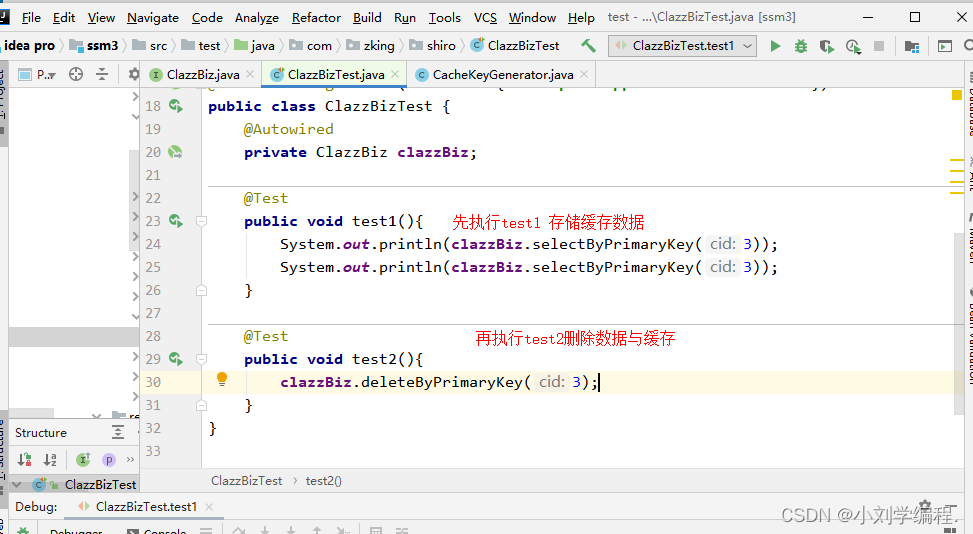
?执行test存入缓存
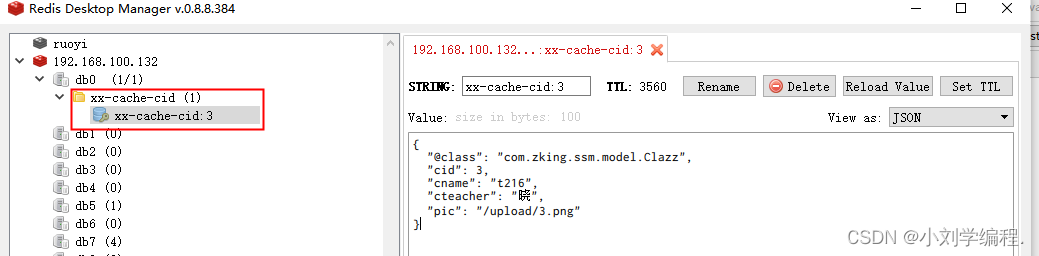
?执行test2成功删除了数据库数据与缓存
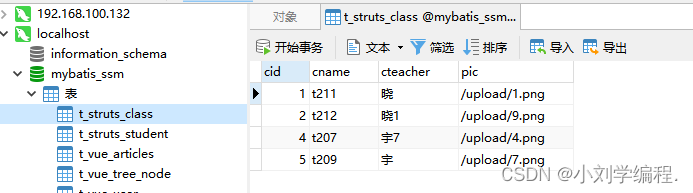
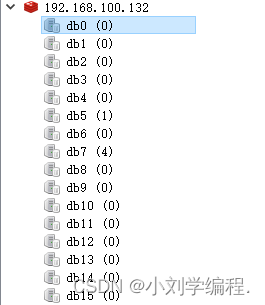
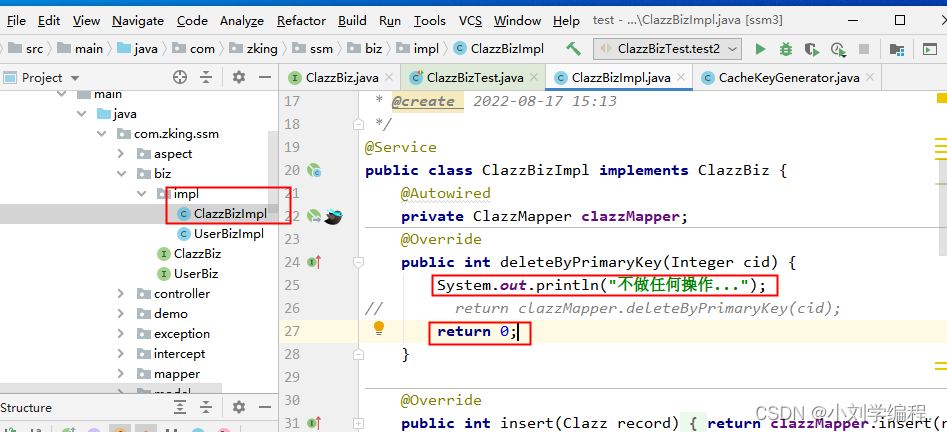
?当我们把实现曾impl层中的删除方法返回值修改为0时,执行delete操作时不再会删除数据库中的数据,但是还是可以清空指定的缓存
属性 allEntries
删除以value中的值开头的所有的缓存
@CacheEvict(value = "xx",key = "'cid:'+#cid",allEntries = true)三,redis的击穿穿透雪崩现象及解决方案*
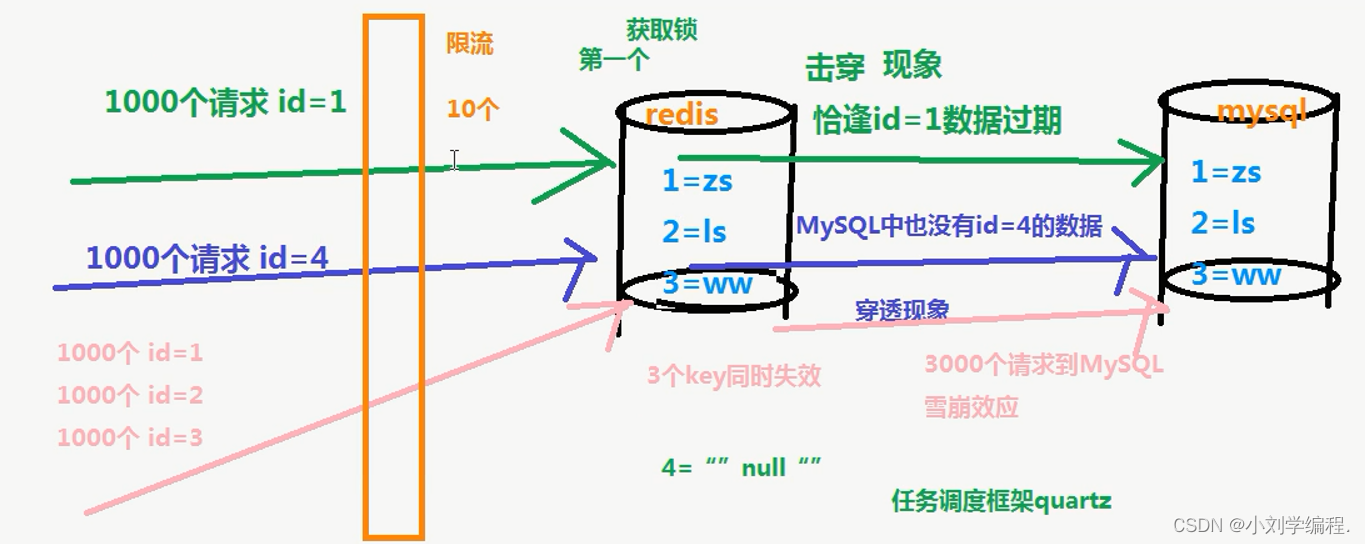
?击穿:高并发量的同时key失效,导致请求直接到达数据库;
设置锁
1.获取 Redis 锁,如果没有获取到,则回到任务队列继续排队
2.获取到锁,从数据库拉取数据并放入缓存中
3.释放锁,其他请求从缓存中拿到数据限流:请求redis之前做流量削峰
穿透: 很多请求都在访问数据库一定不存在的数据,造成请求将缓存和数据库都穿透的情况。
规则排除
可以增加一些参数检验。例如数据库数据 id 一般都是递增的,如果请求 id = -10 这种参数,势必绕过Redis。避免这种情况,可以对用户真实性检验等操作。null值填充
当缓存穿透时,redis存入一个类似null的值,下次访问则直接缓存返回空,当数据库中存在该数据的值则需要把redis存在的null值清除并载入新值,此方案不能解决频繁随机不规则的key请求。
?雪崩: 雪崩和击穿类似,不同的是击穿是一个热点 Key 某时刻失效,而雪崩是大量的热点 Key 在一瞬间失效 。
给不同的热点key设置不同的缓存策略